What Exactly Is a Software Solution?
The phrase "software solution" gets thrown around so casually it has almost lost its meaning. Here is a clear definition, with real examples and a practical way to tell a genuine solution from a single feature in a slide deck.
 David Mercer · Principal Software & Web Engineer
8 min read
Fact-checked
David Mercer · Principal Software & Web Engineer
8 min read
Fact-checked
Key takeaways
- A software solution is the complete arrangement of code, configuration, data and process that resolves a real problem end to end — not a single app or feature.
- The clearest software solution definition is functional: it counts as "a solution" only if it actually makes the whole problem go away in your context.
- The core of software solution vs software product is scope. A product is a packaged thing; a solution is what makes that product useful here.
- Solutions come in three flavours — custom, off-the-shelf and hybrid — and most real-world systems are hybrids.
- If something fixes a demo but not Monday morning, you are looking at a feature, not a solution.
If you have spent any time near a procurement meeting, a vendor pitch or a job description, you have heard the words "software solution" used as if they were a single word with no particular meaning. Everything is a solution now. A button is a solution. A spreadsheet template is a solution. A half-built prototype that crashes on the second click is, somehow, also a solution. The phrase has been sanded down by overuse until it signals nothing more than "some software exists here." That is a shame, because the word "solution" used to carry a useful idea, and recovering that idea changes how you evaluate, buy and build software.
So let us answer the plain question — what is a software solution — with a definition you can actually use. A software solution is the complete arrangement of code, configuration, data and surrounding process that resolves a specific, real problem from beginning to end. The emphasis lives on two words: complete and resolves. A solution is not a component, not a feature, and not even necessarily a single product. It is whatever combination of moving parts it takes to make the original problem genuinely go away in the place where it lives.
This article walks through a working software solution definition, separates a solution from a product and a feature, lays out the anatomy of the real thing, and gives concrete custom software solution examples across industries. By the end you should be able to listen to any pitch and quietly ask the only question that matters: does this actually solve the whole problem, or just the part that demos well?
Defining "software solution"
The most reliable definitions of "solution" are functional rather than structural. It does not matter what the thing is made of; it matters what it does. A software solution is something that, when in place and operating, makes a defined problem stop being a problem. That sounds almost too simple, but the simplicity is the point. The moment you anchor on outcome rather than artifact, a great deal of marketing noise falls away.
Consider a small business drowning in invoices. The problem is not "we lack invoicing software." The problem is "we cannot reliably bill customers, chase late payments, and reconcile what came in against what we expected." A piece of invoicing software is a product. The solution is whatever it takes — the software, yes, but also the chart of accounts it connects to, the email templates for reminders, the bank-feed integration, the rule that flags a payment as overdue, and the human who knows what to do when something does not match. Strip any of those away and the problem creeps back. That is the tell: a solution is the smallest complete set of things that keeps the problem gone.
It helps to borrow some rigour from the standards world. The international quality model for software, ISO/IEC 25010, frames software quality across characteristics such as functional suitability, reliability, performance efficiency, usability, security and maintainability. Notice that "does the right function" is only one of eight. A true solution has to be suitable and reliable and usable and maintainable enough to survive in the real world. A feature can ace functional suitability and still fail every other axis. Holding the whole quality model in mind is one of the cleanest ways to test whether you are looking at a solution or just a working demo.
Solution vs. product vs. feature
The single most useful distinction in this entire topic is software solution vs software product, so it is worth slowing down. These three words — feature, product, solution — describe a ladder of scope, and most confusion comes from people standing on one rung and pointing at another.
A feature is a single capability. "Export to PDF." "Two-factor login." "Drag to reorder." A feature is real and valuable, but it is a unit of function, not a unit of value toward the user's actual goal. Nobody wakes up wanting two-factor authentication; they want their account not to get stolen.
A product is a packaged collection of features that you can name, version, install and sell. A word processor is a product. A photo app is a product. A code library you pull from a package registry is a product. Products are the things engineers build and vendors ship, and they are genuinely the atoms of the industry. But a product is defined by what it is, not by which problem it removes in your specific situation.
A solution sits one rung higher. It is defined by the problem it resolves, and it may pull in one product, several products, configuration, data, integrations and process to do so. The same product can be part of many different solutions, and the same solution can be assembled from different products. That asymmetry is the heart of the matter.
From the field: When we review software that a client already owns, the most common finding is not a missing product — it is a missing solution. They bought a perfectly good CRM, a perfectly good email tool and a perfectly good spreadsheet, and none of them talk to each other. Three products, zero solutions. The problem they actually had — "we lose track of leads between sales and support" — is sitting untouched in the gaps between the tools. The code was never the issue; the seams were.
Here is the same distinction laid out side by side, because seeing it as a table tends to make it stick.
| Dimension | Feature | Product | Solution |
|---|---|---|---|
| Defined by | A single capability | A packaged set of features | The problem it resolves |
| Unit of value | Function | Tool you can name and ship | Outcome in a real context |
| Scope | Narrow | Bounded by the package | Whatever the problem needs |
| Typical owner | Engineer | Product team or vendor | The business and its users |
| Fails when | The capability breaks | The package is buggy | The problem comes back |
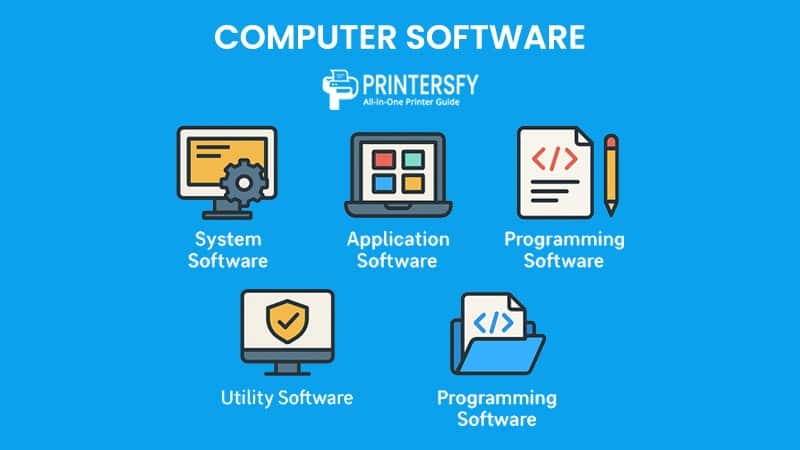
If you want a deeper, decision-oriented treatment of choosing between options once you know the difference, our companion piece on how to choose the right software solution picks up where this article leaves off. And if the underlying vocabulary of software categories is still fuzzy, the breakdown of system, application and programming software gives you the foundation the rest of this discussion assumes.
The anatomy of a real solution
Once you accept that a solution is bigger than a product, the natural next question is: bigger in what way? What are the parts? In my experience, a genuine software solution is made of roughly six layers, and a project gets into trouble whenever a team builds one or two of them and calls the job done.
1. The problem and the people
This is the layer everyone skips and everyone regrets skipping. A solution starts with a precise statement of the problem and a real understanding of the people who will live with it. Who does the work today? What goes wrong? What does "fixed" feel like to them? Skip this and you build a technically excellent answer to a question nobody asked.
2. The core software
The application logic — whether bought, configured or written — that performs the central function. This is the part most people mean when they say "software," and it is necessary but never sufficient on its own.
3. Data and integrations
Software that cannot see the right data, or cannot talk to the other systems in the building, solves nothing. Integrations are where solutions are won or lost. The MDN Web Docs reference is a good reminder of how much of modern software is really about protocols, formats and the contracts between systems rather than any single program in isolation.
4. Quality attributes
Reliability, security, performance and accessibility are not optional polish; they are load-bearing. A standards body like the IEEE exists in large part to formalise these attributes so that "it works" can be defined and measured rather than merely asserted. If your "solution" has never been tested under realistic load, it is a hopeful prototype.
5. Operations
Someone has to run the thing — deploy it, monitor it, back it up, patch it. A solution includes the plan for keeping it alive, not just the code that runs on a good day.
6. Process and people, again
Finally, the human procedures that wrap the software: who does what, what happens on the exception path, how the team learns the tool. The same software can be a brilliant solution in one organisation and a useless one next door, purely because of this layer.
Tip: When you evaluate any "solution," walk it through all six layers out loud. The layer that gets a vague, hand-waving answer is exactly where the project will hurt later. Vendors love layer two and quietly skip layers one, five and six — which is precisely why those are the ones to interrogate.
Custom, off-the-shelf and hybrid solutions
People often assume "software solution" implies something bespoke, written line by line for them. It does not. The build-versus-buy choice is about how you obtain the core software, and there are three broad types of software solutions along that spectrum.
Off-the-shelf solutions
Here the core is a commercial or open-source product you configure rather than build. A modern content platform is a classic example; you can stand up a serious site without writing the CMS yourself. Our look at the real benefits of a modern CMS and the companion guide to the WCMS, DAM and ECM alphabet both describe off-the-shelf solutions where the engineering effort lives in configuration, content modelling and integration rather than in writing the platform from scratch. Off-the-shelf is fast and cheap up front, but you accept the product's assumptions about how your work should be done.
Custom solutions
Here the core software is written specifically for the problem. Custom is the right call when the problem is genuinely your own — a workflow no product anticipates, a domain rule that is your competitive edge, or an integration nothing off the shelf supports. Custom software solution examples include a logistics company's routing engine tuned to its own depots, a publisher's bespoke pipeline for turning manuscripts into multiple formats, or a bank's risk model embedded in its trading floor. Custom buys you fit at the cost of building and, crucially, maintaining everything yourself.
Hybrid solutions
In practice, almost every serious system is a hybrid: purchased platforms for the commodity parts, custom code for the parts that are truly yours, glued together with integration. A hybrid lets you avoid reinventing authentication or payments while still writing the one workflow that makes you money. The art is drawing the line in the right place.
| Approach | Best when | Upside | Main risk |
|---|---|---|---|
| Off-the-shelf | Your problem is common | Fast, lower cost, maintained for you | You adapt to the tool's assumptions |
| Custom | The problem is uniquely yours | Exact fit, full control | You own all the cost and upkeep |
| Hybrid | Most real-world systems | Buy the commodity, build the edge | Integration complexity at the seams |
Software solution examples across industries
Abstractions land better with concrete cases, so here are software solution examples drawn from different sectors. In each, notice that the solution is never just the headline app — it is the app plus the data, the integration and the process around it.
Healthcare
An electronic health record is a product. The solution is the record system plus the scheduling integration, the lab feeds, the privacy controls, the audit trail and the clinical workflow that decides who can see what and when. Remove the integrations and you have a very expensive digital filing cabinet, not a solution.
Publishing and documents
A publisher's real problem is turning messy source files into clean, structured, multi-format output reliably and at volume. The solution is a pipeline, not a single converter. Our deep dive on converting RTF to XML and the quiet craft of document conversion walks through exactly this kind of solution — where the value is in the chain of transformations, validation and tooling, not in any one program.
Retail and logistics
An online store is not just a storefront app. The solution stitches together catalogue, payments, inventory, fulfilment, fraud checks and customer support. The customer experiences one smooth purchase; behind it sit a dozen products cooperating. When that experience is slow, the culprit is usually the seams, which is why a grasp of modern web development and design matters as much as any single tool choice.
Software teams themselves
Even building software is now a solution problem. A team's development environment, CI pipeline, review process and increasingly its AI assistants form a solution for shipping code reliably. If you are weighing where automation fits, our practical guide to what every developer should actually know about AI in 2026 and the field notes on putting AI at the core of your stack carefully both treat the toolchain as a solution to be designed, not a pile of features to bolt on. If you are still mapping the landscape of assistants, the honestly ranked 2026 AI tools tier list is a useful companion.
Signs you are looking at a feature, not a solution
The most expensive mistakes in software come from buying a feature while believing you bought a solution. The gap shows up months later, when the demo magic has worn off and the original problem quietly returns. Here are the warning signs I have learned to watch for.
Watch out: A "solution" that only ever solves the happy path is a feature in disguise. If the answer to "what happens when the input is malformed, the network drops, or two people edit at once?" is silence or a shrug, you are not looking at a solution. Real solutions are defined as much by how they handle the bad days as the good ones.
It demos beautifully and documents poorly. A polished five-minute demo that has no story for installation, data migration, training or support is a feature wearing a solution's clothes. The demo is the easy 20 percent.
It ignores the people. If nobody can tell you who will operate it, who will fix it, and how the team's actual workflow changes, the human layers are missing — and those layers are where solutions live or die.
It has no integration story. Software that cannot exchange data with the systems already in the building rarely resolves anything; it just adds another island. Beware tools that promise to replace everything rather than fit alongside what already works.
It sidesteps quality. No word on reliability, security, accessibility or performance is a red flag. This is also where genuine-sounding but hollow fixes show up. The same pattern that makes accessibility overlays a troublesome shortcut — a single widget claiming to "solve" compliance — recurs across the industry: a narrow feature marketed as a complete answer to a deep, structural problem.
It cannot say what is out of scope. A real solution has edges. If a pitch claims to do everything for everyone, it has not been thought through as a solution at all.
How to scope a solution that lasts
If a solution is the complete set of things that keeps a problem gone, then scoping a solution is the discipline of figuring out what that complete set actually is — before you spend money discovering it the hard way. Here is the approach I use.
Start from the problem and the people
Write the problem down in the words of the people who have it, not in the language of technology. "We lose two days a month reconciling payments" is a scopable problem. "We need a finance dashboard" is a pre-baked, possibly wrong solution masquerading as a requirement. Resist naming tools until the problem is sharp.
Map the data and the integration points
List every system the solution must read from or write to, and every piece of data that has to flow. This map, more than any feature list, predicts where the cost and risk live. If you are early in your learning, the grounding in web development fundamentals is genuinely useful here, because so many integration points come down to HTTP, data formats and the contracts between services.
Decide what to buy, configure and build
Now — and only now — make the build-versus-buy calls layer by layer. Commodity parts: buy. The one workflow that is your edge: build. Everything else: configure. This is where the custom, off-the-shelf and hybrid distinction earns its keep. Even your hardware choices are part of the picture; for small teams, something as ordinary as picking the right all-in-one PC as a developer workstation is a scoping decision about the operations layer.
Set quality targets and an operations plan
Agree, in numbers where you can, on reliability, performance, security and accessibility expectations, and decide who runs and maintains the result. Frame these as general targets — uptime you can live with, response times users will tolerate, a patch cadence you can sustain — rather than borrowed benchmarks. A solution without an operations plan is a liability with a launch date.
Name what is out of scope
Finally, write down what this solution deliberately does not do. Good scoping is as much about drawing edges as filling the middle. The discipline of saying "not this, not yet" is what keeps a solution finishable, maintainable and honest.
Get those five steps right and you end up with something that earns the word "solution" — not a feature with good marketing, but a complete, durable answer to a real problem. If you want to keep going, the guide to choosing the right software solution turns this scoping discipline into a decision framework, and you can browse the rest of our writing from the journal home page or the full articles index whenever you want to dig deeper. To understand the editorial standards behind these pieces, the about the journal page lays out who writes here and why.
Frequently asked questions
What is the difference between a software solution and a software product?
A software product is a packaged thing you can name and ship, such as an app or a library. A software solution is the full arrangement that actually resolves a problem end to end. A solution may include one or more products plus configuration, integrations, data and process. Every solution contains products; not every product is a solution.
Is a software solution always custom-built?
No. Many strong solutions are mostly off-the-shelf software configured well, or a hybrid that wraps custom code around purchased platforms. Custom build is one path, not the definition. What makes something a solution is that it resolves the whole problem in your context, regardless of whether the code was bought, configured or written from scratch.
What makes a good software solution?
A good solution resolves the real problem completely, fits the people and processes around it, and keeps working as conditions change. Practically that means clear scope, sound architecture, measurable quality across reliability, security and usability, plus a realistic plan for operation and maintenance. If it solves a demo but not Monday morning, it is not yet a solution.
How do you scope a software solution?
Start from the problem and the people, not the technology. Define the outcome, the constraints, the data and the integration points, then decide what to buy, configure or build. Agree on quality targets and how you will operate the result. Good scoping names what is out of scope as deliberately as what is in.
Sources & further reading
- ISO/IEC 25010 — software product quality model — The international standard defining software quality across eight characteristics, useful for testing whether something solves a problem completely rather than only functionally.
- IEEE — The professional body behind many software engineering standards and definitions, a reference point for formalising quality attributes such as reliability and performance.
- MDN Web Docs — Mozilla's reference documentation for web technologies, protocols and data formats that underpin the integrations at the heart of most software solutions.
.jpeg)