Web Development Fundamentals, Clearly Explained
Before you reach for the next framework, you need a clear picture of how the web actually works. This guide builds that mental model — request to render, front end to back end, database to API — without the jargon.
 Liam Gray · Content & Document Engineering Lead
12 min read
Fact-checked
Liam Gray · Content & Document Engineering Lead
12 min read
Fact-checked

Key takeaways
- The web is a conversation: a browser sends a request, a server sends a response, and almost everything else is detail layered on that single loop.
- Front end means what runs in the browser; back end means what runs on the server. Many developers do both, but the concerns are genuinely different.
- HTML, CSS and JavaScript have three distinct jobs — structure, presentation and behaviour — and learning them in that order pays off.
- Databases store the data; APIs are the agreed contract that lets separate systems exchange that data without knowing each other's internals.
- Hosting, domains, deployment and security are not afterthoughts — they are part of the fundamentals, and ignoring them is where beginners get hurt.
Most people learning web development start in the wrong place. They open a tutorial, install a framework, copy some commands, and within an hour they have a spinning logo on screen and almost no idea what just happened. The framework did a great deal of invisible work, and because it was invisible, none of it stuck. A month later they can follow that exact tutorial but cannot debug anything that strays from it. The missing ingredient is not more tools — it is a clear model of how the web actually works underneath the tools.
This article is that model. We are going to walk through the whole stack in plain language: what happens between typing an address and seeing a page, what front end and back end really mean, the three languages of the browser, where data lives, how systems talk to each other through APIs, and how all of it gets hosted, deployed and secured. These are the web development fundamentals that frameworks sit on top of. Once you hold them in your head, every framework you meet afterwards becomes a variation on a theme you already understand rather than a black box you have to memorise.
You will not need to write any code to follow along, though everything here will make your code make more sense. Think of this as the map you wish someone had handed you on day one. If you want a broader companion piece once you finish, our complete guide to modern web development and design goes deeper on the craft and tooling side; this one stays focused on the bedrock concepts that do not change when the fashions do.
How the web actually works: from request to render
Strip away every framework and the web is a single, repeating conversation. A program on your computer — the browser, also called the client — asks another program somewhere else — the server — for something. The server answers. That request-and-response loop is the whole foundation, and understanding it is the key to how websites work. Almost everything else in web development is a refinement of that one exchange.
Let us trace what happens when you type an address and press Enter. First, your browser needs to turn the
human-friendly name, like example.com, into a numeric address a machine can route to. That
translation is done by DNS, the Domain Name System, which works like a phone book for the internet: you
give it a name, it gives you back an IP address. With the address in hand, your browser opens a connection
to that server, almost always a secure one using HTTPS, which encrypts the traffic so nobody between you
and the server can read it.
Now the browser sends an HTTP request — essentially a short, structured message that says GET me the page at this path, along with some headers describing the browser, the languages it accepts, and any cookies it holds. The server receives that request, does whatever work it needs to do, and sends back an HTTP response: a status code (200 means success, 404 means not found, 500 means the server broke), some headers, and usually a body of HTML.
That HTML is where rendering begins. The browser reads the HTML top to bottom and builds an internal tree of the page, called the Document Object Model, or DOM. As it parses, it discovers links to other resources — a stylesheet here, a script there, some images and fonts — and fires off more requests to fetch each one. CSS tells the browser how everything should look; JavaScript tells it how everything should behave. The browser combines structure, style and behaviour, lays the page out, and paints it to the screen. Once the page is interactive, the loop can start again: a click might trigger another request, and the conversation continues.
Tip: Open your browser's developer tools and click the Network tab, then reload any page. You will see every single request — the HTML document, each stylesheet, each script, each image — listed with its status code and timing. Nothing teaches the request/response model faster than watching the actual requests scroll by on a site you use every day.
That is genuinely the core of it. Everything from a static blog to a sprawling web application is built on this loop. The differences are in how much work the server does before responding, how much the browser does after, and how many of these exchanges happen per second. Hold onto the request/response picture, because every section below hangs off it.
Front end vs. back end
The single most common beginner question is some version of front end vs back end explained in plain terms. The honest short answer is about location and responsibility. The front end is the part of an application that runs in the browser — the part a person sees and interacts with. The back end is the part that runs on the server — the part a person never sees directly. The browser is the front, the server is the back, and the request/response loop from the previous section is the line drawn between them.
The front end is concerned with presentation and interaction. It decides how the page is laid out, how it responds when you hover or click, how a form validates what you type, and how the interface stays usable on a phone as well as a laptop. Front-end work lives in the browser's three languages, and it is judged largely on how it feels: is it fast, clear, accessible, and pleasant to use? Performance metrics like Google's Core Web Vitals guidance on web.dev are mostly about the front-end experience — how quickly the page becomes visible and responsive.
The back end is concerned with logic, data and rules. When you log in, the back end checks your password. When you place an order, the back end calculates the total, reserves the stock, charges the card and records the transaction. It decides who is allowed to do what, it talks to the database, and it enforces the rules that must never be left to the browser, because anything in the browser can be tampered with by the user. The back end is judged on correctness, reliability and security far more than on how it looks.
Where the two meet
In practice the front end and back end are constantly talking. The front end requests data; the back end decides what to send. That conversation usually happens through an API, which we will get to shortly. The crucial mental shift is this: never trust the front end to enforce anything important. The front end can hide a button, but the back end must still refuse the action if the user is not allowed to perform it. Validation in the browser is a convenience for honest users; validation on the server is the real defence.
When we review beginner projects, the pattern we keep seeing is a developer who put all their rules in the browser — pricing logic, permission checks, even discount calculations — and assumed nobody would look. The first time someone opens the developer tools and edits a value, the whole thing falls over. The fix is always the same: the front end can ask, but the back end must decide. Learn that boundary early and you will avoid an entire category of painful bugs and security holes.
Many developers work across both sides — that is what "full-stack" means — but the two sets of concerns remain genuinely different. It is perfectly reasonable to start by being good at one. If you enjoy layout, interaction and the feel of an interface, lean front end. If you enjoy data, logic and systems that have to be correct under pressure, lean back end. Either is a complete and valuable specialisation, and you can always widen your range later once one side feels like home.
HTML, CSS and JavaScript: the three roles
The front end runs on exactly three languages, and the cleanest way to understand them is by their roles, not their syntax. HTML is structure. CSS is presentation. JavaScript is behaviour. A useful analogy: HTML is the skeleton, CSS is the skin and clothes, and JavaScript is the muscles that let it move. Each has one job, and keeping those jobs separate is one of the oldest pieces of good advice in the field.
HTML gives meaning and structure
HTML — HyperText Markup Language — describes what the content is. A heading is a heading, a paragraph is a paragraph, a list is a list, a button is a button. When you choose the right element for the right purpose, you are writing semantic HTML as taught in the MDN Web Docs learning area, and that semantics is what lets screen readers, search engines and other browsers understand your page. The formal definition of every element lives in the WHATWG HTML Living Standard, the document browser vendors actually implement. You do not need to read it cover to cover, but knowing it exists tells you where the truth lives when a tutorial and reality disagree.
CSS controls how it looks
CSS — Cascading Style Sheets — takes that structured content and decides how it appears: colours, spacing, typography, layout, and how the whole thing rearranges itself on different screen sizes. The "cascading" part means styles can come from several places and combine according to clear rules of specificity and order. Good CSS keeps presentation entirely separate from structure, so you can completely restyle a page without touching its HTML. Modern layout tools like Flexbox and Grid have made this far more pleasant than it was a decade ago, when developers fought the same battles with floats and hacks.
JavaScript adds behaviour
JavaScript is the programming language of the browser. It can respond to clicks and key presses, change the page after it has loaded, fetch new data from a server without a full reload, and run the kind of logic that makes an interface feel like an application rather than a document. This is also where every front-end framework you have heard of ultimately runs, and it underpins much of the practical work discussed in our guide to what every developer should actually know about AI in 2026. The frameworks are JavaScript; learn the language and the frameworks demystify themselves.
The order in which you learn these matters. JavaScript exists to manipulate a page that already has structure and style, so learning it first is like learning to drive before you have a car. Spend real time on HTML, then CSS, then JavaScript. By the time you reach JavaScript you will already know exactly what it is changing and why, and the whole thing will feel less like magic and more like sense.
Databases and where data lives
Almost every interesting application has to remember things between requests — accounts, posts, orders, settings. The back end could not do its job without somewhere durable to keep that information, and that somewhere is a database. A database is simply organised, persistent storage that you can query reliably, even after the server restarts. When the request/response loop needs to know your data specifically, the back end reaches into a database to find it and hands it back.
There are two broad families worth knowing as a beginner. Relational databases store data in tables of rows and columns with strict, predefined structure, and you query them with SQL. They shine when your data has clear relationships and you need strong guarantees that it stays consistent — banking, orders, inventory. Non-relational databases, often called NoSQL, are more flexible about structure and come in several flavours, such as document stores that keep data as JSON-like records. They shine when your data is loosely shaped or you need to scale a particular access pattern very widely.
Warning: Never put a password, an API key or any other secret directly into front-end code or a public repository. The browser hands its entire source to anyone who asks, so a secret in front-end JavaScript is a published secret. Credentials belong on the back end, kept in environment variables or a dedicated secrets manager — never committed to version control. This is one of the most common and most damaging beginner mistakes.
For a first project, the choice of database matters far less than learning the basic operations every database supports: create, read, update and delete — often shortened to CRUD. Those four verbs cover the overwhelming majority of what an application does to its data. If you can model a simple thing as a table or a document and perform CRUD on it cleanly, you understand the part of databases that actually shows up in day-to-day web development. The deeper questions of indexing, transactions and scale arrive later, when you have a real reason to care about them.
It is also worth noting that data does not only live in a database. Some of it lives briefly in the browser, some in caches, some in files, and some passes through other systems entirely. Keeping a clear picture of where each piece of data lives and who is allowed to change it is one of the quiet skills that separates confident developers from anxious ones. If you are weighing up tools and platforms for a real project, our guide on how to choose the right software solution walks through that decision in a structured way.
APIs and how systems talk to each other
Sooner or later you will hear that everything is an API, and there is truth in it. So what is an API, really, without the jargon? An API — Application Programming Interface — is an agreed way for two programs to ask things of each other. One program sends a structured request; the other sends back a structured response. The genius of the idea is that neither side needs to know how the other works inside. They only need to agree on the shape of the request and the shape of the reply — the contract.
A restaurant menu is the classic comparison and it holds up well. You, the customer, do not walk into the kitchen and cook. You read a menu, place an order in a known format, and a meal comes back. The menu is the API: it lists what you can ask for and what you will get, and it hides everything about how the kitchen actually operates. You can change the entire kitchen without changing the menu, and the customers never notice. Good APIs work exactly like that — a stable promise in front of a changeable interior.
How a web API call looks
On the web, most APIs ride on the same HTTP we already met in the request/render loop. The front end makes a request to a specific URL — an endpoint — using a verb that signals intent: GET to read, POST to create, PUT or PATCH to update, DELETE to remove. The back end responds, usually with data formatted as JSON, a lightweight text format that both humans and machines read easily. That is the entire mechanism behind a page that updates without reloading: JavaScript on the front end quietly calls an API, receives JSON, and updates the DOM with the new data.
The table below lines up the four common HTTP methods you will use against an API, what each is for, and a plain-language example. Memorising these four will carry you a long way.
| HTTP method | Intent | Plain-language example | Changes data? |
|---|---|---|---|
| GET | Read existing data | Show me this user's orders | No |
| POST | Create something new | Add this new order | Yes |
| PUT / PATCH | Update something that exists | Change this order's address | Yes |
| DELETE | Remove something | Cancel this order | Yes |
APIs are also how your application borrows capability it does not want to build itself — payments, maps, email delivery, authentication. You call someone else's API, they handle the hard part, and you get a clean response back. This composability is a large part of what makes modern development fast. The same thinking underpins how teams add machine learning to an existing product, a subject we cover in our article on putting AI at the core of your stack, carefully: in most cases the model sits behind an API and the rest of the app simply calls it like any other service.
Hosting, domains and deployment
You can build a flawless application on your own machine and nobody else will ever see it, because
localhost means "this computer only". To put a site on the public web you need three things:
somewhere to run it (hosting), a name people can type (a domain), and a process to move your code from
your laptop to that host (deployment). These are not advanced topics to be deferred; they are part of the
fundamentals, because a site that no one can reach is not really a website.
Hosting and domains
Hosting means a server, somewhere, that is always on and connected to the internet, ready to answer the requests we described at the start. For a purely static site — just HTML, CSS and JavaScript with no back-end logic — hosting can be remarkably cheap or free, because the server only has to hand over files. For an application with a back end and a database, hosting has to actually run your server code and keep your data safe, which is more involved. A domain, meanwhile, is the human-readable name you register and point at your host through DNS, closing the loop back to the very first step of how a page loads.
Deployment
Deployment is the act of getting a new version of your code live, reliably and repeatably. Early on, beginners deploy by hand and it works fine. As a project grows, you will want this automated, so that pushing your code triggers a pipeline that tests it and, if everything passes, publishes it. The goal is that releasing a change is boring — a non-event you trust — rather than a tense manual ritual. The hardware side of all this matters too; if you are setting up a serious development machine, our look at all-in-one PCs as developer workstations weighs the practical trade-offs.
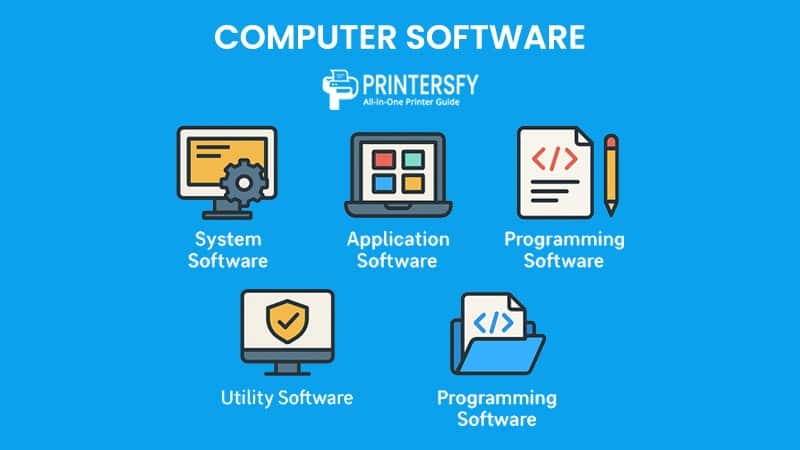
One concept worth meeting early is the idea of environments. Professionals rarely have just one running copy of their app. They keep a development environment for building, often a staging environment that mirrors production for final checks, and the production environment that real users touch. Keeping these separate means you can break things safely in development without anyone noticing, and it is a habit worth adopting on even small projects. Understanding the wider toolbox helps here too — our overview of system, application and programming software sets these pieces in context.
Security basics every developer needs
Security is not a specialist add-on you bolt on at the end; it is woven through everything above, and a handful of basics will protect you from the most common disasters. The guiding principle echoes the front-end-versus-back-end lesson: never trust input you did not generate yourself. Anything that arrives from a browser — form fields, URLs, headers, uploaded files — could have been crafted by someone hostile, so the back end must always validate and sanitise it before acting on it.
Start with these foundations. Always serve your site over HTTPS so traffic is encrypted in transit; modern browsers increasingly treat plain HTTP as untrustworthy. Never store passwords as plain text — store a one-way hash so that even a database breach does not hand attackers the actual passwords. Keep secrets out of front-end code and out of version control, as the earlier warning stressed. And keep your dependencies updated, because a great deal of real-world compromise comes through known vulnerabilities in out-of-date libraries that a simple update would have closed.
The classic attacks to understand
You do not need to be a security researcher, but you should recognise a few named threats. SQL injection happens when untrusted input is fed straight into a database query, letting an attacker rewrite the query; the defence is to use parameterised queries that keep data and commands separate. Cross-site scripting, or XSS, happens when untrusted input is rendered into a page as code rather than text, letting an attacker run scripts in your users' browsers; the defence is to escape output and never blindly insert raw input into the DOM. Both come back to the same root cause — treating user input as if it were trustworthy.
Accessibility and security overlap more than people expect, because both are really about handling the full range of real-world inputs and users responsibly rather than only the happy path you imagined. If you are tempted by a quick technical shortcut to "fix" either concern, it is worth reading our analysis of the trouble with accessibility overlays first — the lesson that bolt-on fixes rarely substitute for doing the underlying work applies just as squarely to security as it does to accessibility.
A practical learning path for beginners
Knowing the pieces is one thing; knowing the order to learn them is another, and the wrong order is where motivation goes to die. Here is a path that respects how the concepts build on each other and is well suited to anyone exploring web development for beginners. Treat it as a sequence, not a race, and build something small at each stage rather than only reading about it.
First, learn HTML and CSS together until you can build a clean, responsive page from scratch without copying a template. This stage teaches structure and presentation, and it gives you something visible to be proud of quickly, which matters for staying motivated. Next, learn JavaScript properly — variables, functions, arrays, objects, and how to respond to events and change the page. Resist the pull of frameworks here; everything they do, plain JavaScript does underneath, and you want to understand the underneath. The structured tutorials in the MDN learning area are an excellent, vendor-neutral place to do this work.
Third, learn how the browser actually fetches data: make API calls, handle JSON, and update a page with the result. This is the moment the front end and back end click together in your mind. Fourth, get a taste of the back end by building a tiny server that responds to requests and stores something in a simple database. You do not need to master it; you need to feel the request arrive, the data save, and the response go back. Finally, deploy something. Put a real project on a real domain, however modest, because deployment teaches lessons that local development never will.
The most useful thing we tell newcomers is to build, not just watch. Tutorials feel productive because you see results, but the learning happens when you close the video and try to make something slightly different on your own and it breaks. That friction — figuring out why your version does not work — is the actual education. A developer who has built five small, slightly broken projects understands more than one who has watched fifty flawless tutorials. Choose projects you genuinely want to exist, because you will need that motivation when something refuses to cooperate at midnight.
Throughout, lean on primary sources rather than only second-hand explanations. When something behaves strangely, the answer is often in the official documentation, and getting comfortable reading specs and reference material is a superpower that compounds over a career. To go further on the design and tooling side once these fundamentals feel solid, the complete guide to modern web development and design is the natural next read, and the journal's full list of articles covers neighbouring topics from content systems to software architecture. Master the fundamentals on this page and everything else becomes a much shorter climb.
Frequently asked questions
What is the difference between front end and back end?
The front end is everything that runs in the browser and that a person sees and touches — the layout, the buttons, the text. The back end runs on a server you do not see and handles logic, storage and rules. The front end requests data; the back end decides what to send. Together they make one working application.
Do I need to learn HTML before JavaScript?
Yes, learn HTML first, then CSS, then JavaScript. JavaScript exists to manipulate a page that already has structure, so without HTML there is nothing meaningful for it to act on. Spending a week on solid HTML and CSS makes JavaScript far easier to understand, because you will already know what the script is changing and why.
What is an API in simple terms?
An API is a defined way for two programs to ask things of each other. One system sends a structured request — for example, give me this user's orders — and the other returns a structured response. You never see its internal code; you only rely on the agreed inputs and outputs. APIs let separate systems cooperate without knowing each other's internals.
How does a website actually load in a browser?
You type an address, DNS turns the name into an IP, and your browser opens a secure connection to that server. The server returns HTML, which the browser parses into a page tree, then fetches CSS, JavaScript, images and fonts. As each arrives, the browser styles, scripts and paints the page until it is interactive.
Sources & further reading
- MDN Web Docs — Learn web development — Mozilla's free, structured, vendor-neutral curriculum covering HTML, CSS, JavaScript and the wider web platform from first principles.
- WHATWG HTML Living Standard — the authoritative, continuously updated specification that defines HTML elements and browser behaviour, maintained by the group whose members build the browsers.
- web.dev — Google's resource for modern web best practices, including performance, Core Web Vitals, accessibility and progressive-enhancement guidance for production sites.