AI in 2026: What Every Developer Should Actually Know
A grounded, hype-free look at AI for developers in 2026 — where machine learning genuinely earns its place, where a plain function still wins, and how to ship it without surprises.
 Anna Keller · Senior AI & Machine Learning Engineer
11 min read
Fact-checked
Anna Keller · Senior AI & Machine Learning Engineer
11 min read
Fact-checked

Key takeaways
- AI in 2026 is plumbing, not magic — the winning skill is knowing exactly where to point it.
- LLMs are flexible but probabilistic; budget for cost, latency and the occasional wrong answer from day one.
- Where a problem has one correct answer, a deterministic function beats a model on speed, cost and testability.
- Coding assistants speed up the boring parts; review discipline, not raw output, decides whether they help.
- Governance, privacy and evaluation are no longer optional — bolt them on before launch, not after an incident.
For three years the conversation about artificial intelligence was dominated by spectacle: demos that wrote sonnets, generated photorealistic images, and answered trivia with uncanny confidence. In 2026 the spectacle has mostly faded into the background, and something more useful has taken its place. AI has become infrastructure. It sits quietly inside support tools, code editors, search bars and document pipelines, doing unglamorous work that used to require either a brittle pile of rules or a human being. The hype cycle has not vanished, but the people shipping real software have moved past it. They are asking sharper questions — what does this actually cost, how do I test it, and what happens when it is wrong?
This guide is written for the developer who has used a chatbot, maybe wired one into a side project, and now needs a clear-eyed view of where AI belongs in production systems. It is deliberately unromantic. The goal is not to convince you that everything needs a model bolted onto it, nor to dismiss the genuine leverage that modern machine learning offers. The goal is to help you decide, case by case, when reaching for AI makes your software better and when it just makes it slower, more expensive and harder to reason about. That judgement — knowing when to use the tool and when to leave it in the drawer — is the most valuable thing a developer can carry into 2026.
We will move from the broad landscape to the specific trade-offs: where AI earns its keep, where a deterministic function still wins, how large language models behave under production load, what coding assistants really do for productivity, and how to handle the security and governance questions that arrive the moment user data touches a model. If you only have time for one section, read the one on cost, latency and reliability — that is where most teams get surprised.
The state of AI in 2026: what actually changed
The single biggest shift is that AI capability is now a commodity you call over an API rather than a research project you staff. A few years ago, adding language understanding to a product meant hiring specialists, gathering training data and maintaining a model. Today a developer can integrate a capable model in an afternoon. That accessibility is the real story of AI for developers in 2026: the barrier moved from "can we build it" to "should we, and how do we run it responsibly." When a powerful tool becomes this cheap to reach, the discipline shifts from invention to judgement.
The second change is that the models stopped getting dramatically better every quarter and started getting dramatically cheaper and faster. Smaller models now handle tasks that once needed the largest ones, and the gap between an expensive flagship and a lean, fast model has narrowed for everyday work. For practitioners this matters more than any benchmark, because it means you can often pick a modest model, run it cheaply, and still get the result you need. Much of the open research charting these efficiency gains lives in the open-access preprints on arXiv, the open-access AI and ML research archive, where you can read the methods rather than the marketing.
The third change is cultural. Organisations have started treating AI output the way they treat any other input from an unreliable source — useful, but to be verified. Search engines have published explicit guidance acknowledging that AI-assisted content is acceptable when it is genuinely helpful and accurate, while warning against using automation to mass-produce thin pages. Google Search Central's guidance on AI-generated content is a clear example of the prevailing standard: the method does not matter, the quality and trustworthiness do. That principle now applies to code, documentation and product copy alike. Knowing what developers need to know about AI starts with internalising that one rule.
Where AI genuinely helps developers today
AI shines in problems that are fuzzy, linguistic or unstructured — exactly the places where traditional code struggles. If you have ever tried to parse free-form text with regular expressions, classify messy user feedback with a tangle of if-statements, or summarise a long document by hand, you already know the pain that machine learning relieves. These are tasks where the input space is enormous and the "rules" are really a thousand exceptions wearing a trenchcoat. A model that has seen vast amounts of language handles them gracefully where a hand-written parser cracks.
The strong use cases
A few categories repay the effort consistently. Extraction and classification — pulling structured fields out of invoices, emails or support tickets — is reliable and easy to evaluate because you can check the output against known answers. Summarisation and rewriting help users digest long inputs. Semantic search, where you retrieve documents by meaning rather than exact keywords, has quietly become one of the most valuable patterns in the toolkit. And natural-language interfaces let users ask questions in plain English instead of learning your query syntax. If you are weaving these into an existing product, our walkthrough on putting AI at the core of your stack — carefully covers the architecture choices in more depth. The same instinct for matching structure to content shows up when you are converting documents — our notes on the move from RTF to XML, the quiet craft of document conversion, are a good companion read.
Augmentation beats automation
The pattern that holds up best is augmentation rather than full automation. A model that drafts a reply for a human to approve is far safer than one that sends the reply itself. A classifier that flags suspicious transactions for review is more defensible than one that blocks accounts unattended. Keeping a person in the loop converts the model's occasional confident wrongness from a liability into a minor inconvenience. The teams getting the most durable value from AI, and integrating LLMs into applications without drama, are almost always the ones that resisted the urge to remove the human entirely.
From the field. When we instrumented an LLM-backed support feature and watched real traffic for a month, the surprise was not the error rate — it was the distribution. Roughly the same handful of edge cases produced almost every bad answer. We did not need a better model; we needed three deterministic guardrails and a fallback path for those known cases. A pattern we keep seeing: the model is rarely the bottleneck. The unhandled edges around it are.
Where a plain function still wins
For every problem AI solves elegantly, there are ten where it is the wrong tool, and reaching for it signals a failure to think clearly about the problem. The decisive question is simple: does this task have a single correct answer that can be computed? If yes, write a function. Calculating tax, validating an email format, sorting a list, enforcing a business rule, routing a request by its type — these are deterministic problems. A function gives you the right answer every time, in microseconds, for free, and you can unit-test it to certainty. Handing such a task to a probabilistic model trades all of that away for nothing.
The temptation to "AI-ify" deterministic logic is strong in 2026 because models are so easy to call, but it is a trap. A model that is right ninety-nine percent of the time sounds impressive until you realise a function is right one hundred percent of the time, costs nothing per call, and never times out. If you find yourself prompting a language model to add two numbers or check whether a string matches a pattern, stop. The honest answer is almost always plain code, and understanding that distinction is part of the broader literacy covered in our piece on web development fundamentals, clearly explained.
A quick comparison
The table below is the heuristic I actually use when deciding between a model and a function. It is not exhaustive, but it catches most cases before they become expensive mistakes.
| Dimension | Plain function / rules | AI model (LLM or ML) |
|---|---|---|
| Correct answer exists? | Yes — compute it | No single right answer; judgement needed |
| Cost per call | Effectively zero | Per-token, adds up at scale |
| Latency | Microseconds | Hundreds of milliseconds to seconds |
| Testability | Deterministic unit tests | Probabilistic; needs evaluation sets |
| Best for | Math, validation, routing, rules | Language, ambiguity, unstructured data |
| Failure mode | Predictable, debuggable | Confident but plausibly wrong |
Tip. Before adding a model, write the one-sentence spec of what "correct" means for the task. If you can write a test that passes or fails deterministically, you probably do not need AI. If "correct" depends on tone, meaning or context that resists a clean assertion, that is the signal you are in genuine model territory.
LLMs in production: cost, latency and reliability
Getting a large language model to work in a demo is trivial. Getting it to behave in production — under real traffic, with real budgets and real users who notice a three-second delay — is where the engineering actually lives. Three forces dominate: cost, latency and reliability. Ignore any one of them and the feature that dazzled in the prototype becomes the line item your finance team circles in red, or the endpoint that times out during your busiest hour.
Cost is a function of tokens
LLM pricing is charged per token, which means your bill is driven by how much text goes in and comes out, multiplied by how often you call. The most common rookie mistake is stuffing enormous context into every request — the entire chat history, a full document, redundant instructions — and paying for it on every single call. The fixes are unglamorous and effective: trim context to what the model genuinely needs, cache responses for repeated queries, and route simple requests to a smaller, cheaper model while reserving the flagship for the hard cases. Estimating cost per request before launch, not after, is the single habit that separates teams that scale from teams that panic.
Latency shapes the experience
A model call is slow by web standards. Where a database query returns in milliseconds, an LLM may take a full second or more, and that latency is now part of your user experience. Streaming the response token by token helps it feel faster even when total time is unchanged. Doing model work asynchronously, off the critical request path, keeps your interface responsive. And caching turns a repeated expensive call into a free one. These are the same performance instincts that govern fast web pages — the Core Web Vitals mindset of measuring real user-perceived speed applies just as much to an AI feature as to a page load.
Reliability means planning for wrong answers
The hardest truth about LLMs is that they are confidently wrong sometimes, and no amount of prompting eliminates this entirely. Production-grade systems treat the model as an unreliable narrator and wrap it accordingly. Validate the model's output against a schema before you trust it. Constrain it to return structured data you can check. Build a fallback for when it fails or returns nonsense. And measure quality continuously with an evaluation set, the same way you would run regression tests. Anchoring this discipline in a recognised framework helps; the NIST AI Risk Management Framework gives a vocabulary for the risks you are managing and a structure for documenting how you handle them.
Watch out. Never let raw model output flow straight into a privileged action — a database write, a payment, a system command — without a deterministic check in between. The classic 2026 incident is an injection-style prompt that coaxes a model into emitting a harmful instruction, which an over-trusting integration then executes. Treat model output as untrusted user input, because functionally that is exactly what it is.
Coding assistants: a realistic productivity picture
By 2026 most professional developers use an AI coding assistant of some kind, and the honest assessment is more nuanced than either the boosters or the sceptics claim. The assistants are genuinely excellent at a specific band of work: boilerplate, repetitive patterns, test scaffolding, translating between languages, writing the first draft of a function with a clear specification, and explaining unfamiliar code. For these, the speed-up is real and the cognitive relief is meaningful — you spend less of your day on the mechanical parts and more on the parts that need a brain. This is the part of practical machine learning for software teams that has already paid off.
Where they help and where they hurt
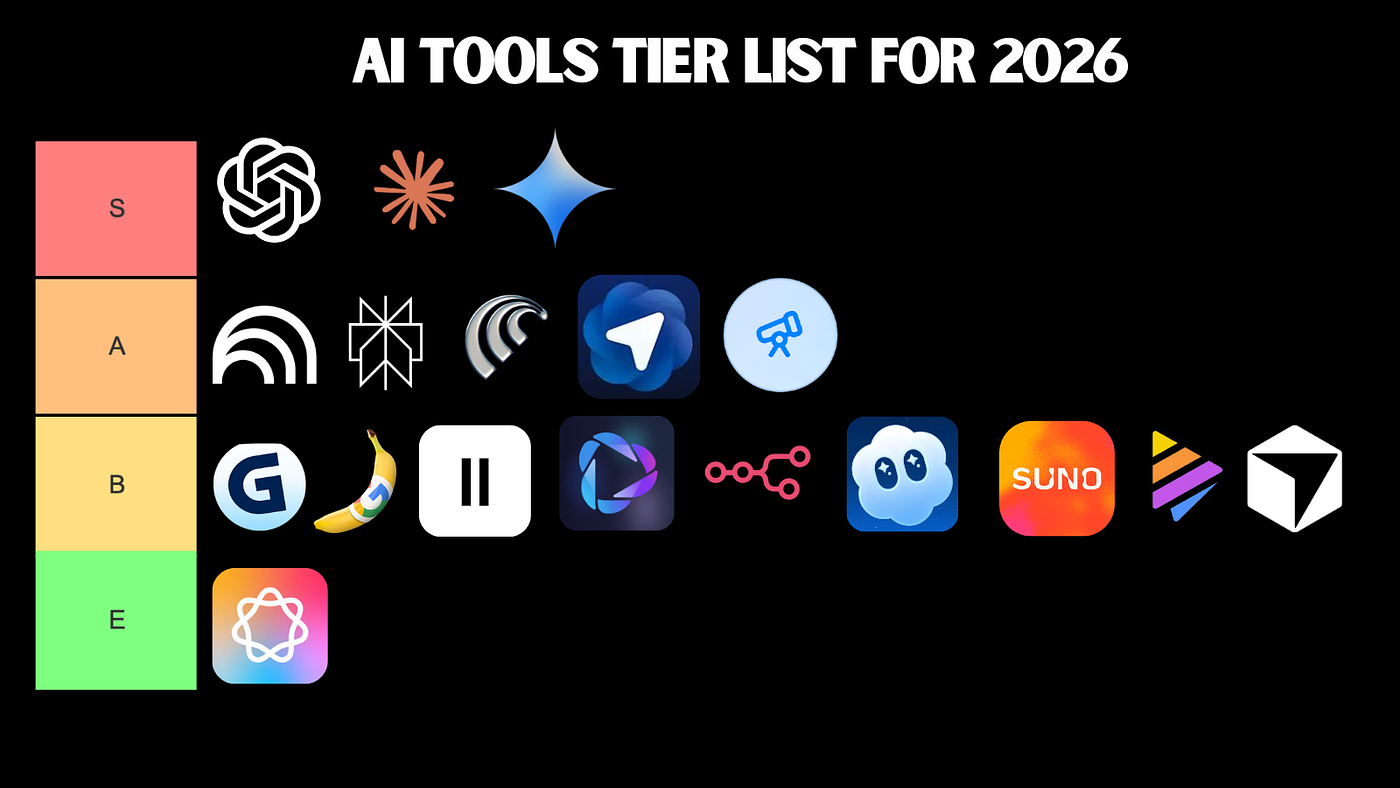
The picture inverts on novel, subtle or architecture-level problems. An assistant will happily generate plausible code for a tricky concurrency bug that is quietly wrong in a way that costs you more time to debug than it would have taken to write correctly. The productivity is real on the easy eighty percent and can go negative on the hard twenty percent if you trust the output without reading it. Reviewing AI-generated code with the same rigour you would apply to a junior colleague's pull request is not optional; it is the entire discipline. For a candid, hands-on ranking of which AI coding tools 2026 actually deliver, our 2026 AI tools tier list, honestly ranked walks through the field without the marketing gloss.
The skill that matters now
The valuable developer skill has shifted. It is no longer raw speed of typing code — the machine does that. It is the ability to specify intent precisely, to read generated output critically, and to know when the suggestion is subtly wrong. Senior engineers tend to get more from these tools than juniors, precisely because they can tell good output from confident nonsense. If you want a grounding in the moving parts an assistant is manipulating on your behalf, the complete guide to modern web development and design is a useful companion, and reference material like MDN Web Docs remains the authoritative place to verify what generated front-end code actually does.
Security, privacy and data governance
The moment your application sends user data to a model, you have inherited a set of obligations that have nothing to do with model accuracy and everything to do with trust. This is the area teams most often skip in the rush to ship, and it is the area most likely to produce a headline. Three questions need answers before launch, and ideally before you write a line of integration code.
Where does the data go?
If you call a hosted model, user data leaves your perimeter. You must know what the provider does with it, whether it is retained, whether it could be used for training, and whether sending it there is even legal for the data class in question. Personal data, health data and anything under contractual confidentiality may simply not be allowed to leave your environment. The mitigation is to minimise: strip or mask sensitive fields before the request, send only what the task genuinely requires, and document the data flow so a reviewer can audit it.
Prompt injection and untrusted input
Prompt injection is the defining security category of LLM applications. If your model reads any text it did not author — a user message, a web page, a document — that text can contain instructions attempting to hijack the model's behaviour. The defence is architectural, not clever prompting: never grant the model authority it does not need, keep a deterministic checkpoint between model output and any consequential action, and treat every byte the model produces as suspect until validated. The same separation-of-concerns thinking that underpins a robust content system, discussed in our overview of the six real benefits of a modern CMS, applies directly here, and the broader taxonomy in WCMS, DAM, ECM: decoding the CMS alphabet shows how cleanly separated systems contain risk.
Governance you can show an auditor
Good governance is mostly documentation and habit. Keep a record of which models you use, what data flows to them, how you evaluate quality, and what your fallback is when they fail. A recognised structure makes this defensible rather than ad hoc, and the NIST framework cited earlier is the most widely referenced starting point. Treating these records as a living part of the system — not a one-time compliance checkbox — is what turns "we use AI" into "we use AI responsibly," and it pairs naturally with the structured, accessible thinking we cover in our look at the trouble with accessibility overlays, where shortcuts that promise to solve a hard problem automatically tend to disappoint.
A pragmatic AI adoption checklist for 2026
Pulling the threads together, here is the decision process I recommend before committing to an AI feature. It is intentionally boring, because boring is what ships reliably. Run through it honestly and most bad ideas eliminate themselves before they reach a sprint board.
Before you build
Start with the problem, not the technology. Ask whether the task is genuinely fuzzy, linguistic or unstructured, or whether you are reaching for AI because it is fashionable. If a deterministic function can do the job, write it — the broader question of matching a tool to a need is covered well in our guide on how to choose the right software solution, and the categories themselves are unpacked in system, application and programming software, explained. If the task truly needs a model, define what "good enough" means in measurable terms before you start, so you have a target to evaluate against rather than a vibe.
While you build
Pick the smallest model that clears your quality bar; you can always upgrade. Constrain outputs to structured formats you can validate. Build the fallback path before you build the happy path, because the fallback is what protects your users when the model misbehaves. Instrument everything — log inputs, outputs, latency and cost from day one — so you are debugging with data rather than guesses. Caching and context trimming belong in the first version, not a later optimisation pass. The hardware you run all this on matters too; our notes on all-in-one PCs as developer workstations weigh the practical trade-offs.
Before you ship
Estimate cost per request at expected volume and confirm the business can absorb it. Run your evaluation set and record the result as a baseline. Confirm the data-governance story: what leaves your perimeter, why it is permitted, and how it is minimised. Put a human in the loop wherever a wrong answer carries real consequences. And write down the whole design so the next engineer — possibly you, six months from now — can understand why it works the way it does. If you are still mapping where any of this fits in your wider system, our explainer on what exactly is a software solution and the broader catalogue on the all articles page are good next stops, with the home page and the about the journal page rounding out the context for how we approach these topics.
None of this is glamorous, and that is the point. The developers who will thrive with AI in 2026 are not the ones chasing the newest model release; they are the ones who treat AI as one well-understood tool among many, reach for it deliberately, wrap it in solid engineering, and never forget that a confident answer and a correct answer are not the same thing. Master that distinction and the rest is just careful, ordinary software work — which, reassuringly, is exactly what you already know how to do.
Frequently asked questions
Is AI going to replace software developers in 2026?
No. In 2026 AI shifts the work rather than removing it. Models draft code, tests and documentation quickly, but a developer still frames the problem, judges trade-offs, reviews output and owns correctness. The scarce skill is no longer typing code; it is specifying intent precisely and verifying that what the machine produced is actually right.
What is the difference between an LLM and traditional machine learning?
Traditional machine learning trains a narrow model on your own labelled data to predict one thing, like churn or fraud, with measurable accuracy. A large language model is a huge pre-trained general system you prompt in natural language. LLMs are flexible and need no training data, but they are costlier, slower and harder to evaluate deterministically.
How much does it cost to run an LLM feature in production?
Cost depends on model size, token volume and how often you call it. Pricing is per token, so long prompts and large contexts dominate the bill. Teams control spend by caching responses, trimming context, routing easy requests to smaller models and capping retries. Always estimate cost per request before launch, not after the invoice arrives.
Should every app have an AI feature now?
No. Add AI only where uncertainty, language or unstructured data make rules impractical. If a problem has a clear correct answer, a plain function is faster, cheaper and easier to test. The best teams in 2026 treat AI as one tool among many and reach for it deliberately, not because a roadmap demands an AI label.
Sources & further reading
- NIST AI Risk Management Framework — a voluntary framework for identifying, measuring and managing the risks of AI systems, widely used as a governance reference.
- Google Search Central — guidance on AI-generated content — Google's position that helpful, accurate content is rewarded regardless of how it is produced, with warnings against low-quality automation.
- arXiv — open-access AI and ML research — the open-access preprint archive where much foundational and current AI and machine-learning research is published.
- MDN Web Docs — authoritative, vendor-neutral documentation for web standards, useful for verifying what AI-generated front-end code actually does.
.jpeg)