The Complete Guide to Modern Web Development & Design
A practitioner's walk through the whole stack — from semantic markup and design systems to back-end APIs, Core Web Vitals and accessibility — so you can build sites that are fast, maintainable and genuinely usable.
 David Mercer · Principal Software & Web Engineer
14 min read
Fact-checked
David Mercer · Principal Software & Web Engineer
14 min read
Fact-checked

Key takeaways
- Modern web development is less about chasing frameworks and more about disciplined fundamentals: semantic HTML, resilient CSS and just enough JavaScript.
- A small, well-documented design system buys you consistency and speed far cheaper than redesigning components page by page.
- Performance is a feature. Core Web Vitals — LCP, INP and CLS — measure real user experience and feed into search ranking.
- Accessibility and SEO are not bolt-ons; building them in from day one is faster and more reliable than retrofitting later.
- Tooling, deployment and maintenance decide whether your site stays healthy after launch, so plan for the boring parts early.
Ask ten engineers what "modern web development" means and you will get ten different answers, most of them a list of tools they happen to like. After fifteen years of building and rescuing production sites, I have learned to distrust that framing. Tools change every couple of years; the fundamentals that decide whether a site is fast, accessible and maintainable barely move. This guide is my attempt to lay out the whole picture — front end, back end, design, performance, accessibility and the unglamorous maintenance work — in a way that holds up regardless of which library is fashionable this quarter.
I have written it for two readers. The first is someone newer to the craft who wants a map of the territory before they get lost in tutorials. The second is the experienced developer who can build features but wants a sharper mental model of how the pieces fit, especially around performance and accessibility. If you want a gentler on-ramp to the basics first, our companion piece on web development fundamentals, clearly explained covers the absolute starting points, and you can pair it with this guide.
Throughout, I will lean on primary sources rather than secondhand summaries. When I reference how the platform actually behaves, I point to the MDN Web Docs learning area and the WHATWG HTML Living Standard, because those are the documents the browsers themselves are built against. Let's start by defining what we are even talking about.
What "modern web development" means in 2026
The honest definition of modern web development in 2026 is not a stack — it is a set of expectations. A site is "modern" when it loads quickly on a mid-range phone over a flaky connection, when it works for someone using a screen reader, when its layout does not jump around while you read it, and when the team behind it can ship a change next year without the whole thing falling over. Notice that none of those expectations mention a specific framework. They are outcomes, and the technology you choose is just a means to reach them.
What has genuinely changed over the last decade is the baseline. The browser platform is far more capable
than it was: native CSS grid and container queries handle layouts that once required JavaScript; the
<dialog> element and form-associated custom elements cover interactions we used to
hand-roll; and the gap between "what the platform does" and "what you reach for a library to do" has
narrowed considerably. A lot of modern best practice is, paradoxically, about using less tooling than you
might assume and trusting the platform more.
The other shift is cultural. Performance and accessibility used to be specialist concerns you might address near the end of a project. Today they are gating requirements measured in the field and, in the case of Core Web Vitals, folded into how search engines evaluate pages. If you treat them as afterthoughts, you pay for it in rework. If you build them in, they become almost invisible. That single change in sequencing is, to me, the defining feature of a modern workflow. It is also why a "modern website guide" worth its name has to talk about process, not just syntax.
The front end: HTML, CSS and JavaScript foundations
The front end is the layer your users actually touch, and it rests on three languages with three distinct jobs. HTML describes the structure and meaning of your content. CSS describes how that content looks and arranges itself. JavaScript adds behaviour. The single most common mistake I see — in both junior code and rushed agency work — is collapsing those responsibilities, usually by making JavaScript do the structural and presentational work that HTML and CSS handle natively and more reliably.
Semantic HTML is the cheap superpower
Reaching for the right element is the highest-leverage habit in front-end work. A
<button> is focusable, keyboard-operable and announced correctly by assistive
technology for free; a <div> with a click handler is none of those things until you
painstakingly reimplement them, usually incompletely. Using
semantic HTML
— headings in order, landmarks like <main> and <nav>, real lists and
tables for tabular data — gives you accessibility, SEO and resilience almost as a side effect. It is the
rare decision that costs nothing and pays out everywhere.
CSS that bends instead of breaking
Modern CSS is genuinely powerful, and good CSS is defensive. Lay out with Flexbox and Grid rather than floats or absolute positioning hacks. Use relative units so text scales with user preferences. Treat responsive web design best practices as the default rather than a mobile-specific mode: design for the small screen first, then let the layout expand into the space available. Container queries now let a component respond to its own context rather than the viewport, which makes truly reusable components possible for the first time.
JavaScript: as much as you need, no more
JavaScript is where projects gain weight and lose performance, so spend it deliberately. Plenty of interaction — disclosure widgets, accordions, smooth scrolling, even some validation — can now be done with HTML and CSS alone. When you do write JavaScript, prefer progressive enhancement: the page should do something useful before the script loads, and more once it does. This is the discipline that separates a site that degrades gracefully from one that shows a blank screen when a single bundle fails to download.
From the field. When we audited a client's "modern" rebuild last year, the home page shipped over a megabyte of JavaScript to render what was, functionally, an article and a contact form. Half of it existed to animate a hero section. We replaced the whole interactive layer with semantic HTML, a few hundred lines of CSS and roughly twenty lines of script for the one genuinely dynamic widget. The page got faster, more accessible and dramatically easier to maintain — and nobody missed the framework.
Design systems and consistent UI
Once you move past a handful of pages, the biggest threat to quality is inconsistency. One developer builds a button with twelve pixels of padding and a blue you picked on a Tuesday; another builds a slightly different button on a different page. Multiply that across a year of work and you get a site that feels subtly broken even though every individual page is fine. A design system is the cure: a single, documented source of truth for the visual and interactive language of your product.
You do not need an enterprise component library to start. A useful design system can begin as a small set of design tokens — colours, spacing steps, type sizes, border radii — expressed as CSS custom properties, plus a documented set of core components. The point is not the size of the artifact; it is that decisions are made once, written down and reused. When the brand colour changes, you change one token rather than hunting through stylesheets.
Design systems also encode accessibility and state. A properly built button component bakes in focus styles, disabled states and adequate colour contrast so that every instance is correct by construction. This is where design and engineering meet: the system is a contract that lets designers and developers move quickly without renegotiating the basics on every screen. If your project also manages a lot of content, it is worth reading our overview of the six real benefits of a modern CMS, because a design system and a content system solve adjacent problems and work best together.
The back end, APIs and data
Everything we have discussed so far lives in the browser. The back end is the half of the system your users never see directly: the servers, databases and application code that store data, enforce rules and respond to requests. Understanding both halves — and how they communicate — is what separates a front-end developer from a full-stack one, and it changes how you reason about an application.
How the two halves talk
The contract between front end and back end is almost always an API, typically over HTTP. The browser sends a request; the server runs logic, perhaps reads or writes a database, and returns a response — usually JSON these days. Good front-end and back-end web development hinges on a clean, predictable API: consistent naming, sensible status codes, clear error messages and stable shapes that the front end can rely on. When that contract is sloppy, every feature becomes a negotiation.
Choosing a back-end approach
There is no single right answer here, only trade-offs. The table below sketches the broad options I weigh at the start of a project. Treat these as general industry observations rather than hard rules; the right pick depends on your team, your traffic and how dynamic your content really is.
| Approach | Best for | Main trade-off |
|---|---|---|
| Static site (pre-rendered HTML) | Blogs, docs, marketing sites | Limited dynamic behaviour without extra services |
| Server-rendered app | Content sites needing freshness and SEO | Needs a running server and caching strategy |
| Single-page app + API | Rich, stateful dashboards and tools | Heavier JavaScript; SEO and performance need care |
| Headless CMS + front end | Editorial teams with structured content | More moving parts to operate and secure |
Data modelling deserves more respect than it usually gets. The shape of your database and the boundaries of your services will outlive most of your interface decisions, because changing them later is genuinely expensive. If you are still deciding what kind of system you are even building, our explainer on what exactly is a software solution is a useful frame, and how to choose the right software solution walks through the evaluation in more depth. For teams sorting out content tooling specifically, WCMS, DAM and ECM decoded clarifies which category you actually need.
Tip. Before you write a line of back-end code, write the API contract down — even as a rough document. Listing the endpoints, their inputs and their response shapes forces the hard conversations early, when they are cheap, instead of mid-sprint when the front end and back end have already drifted apart.
Performance and Core Web Vitals
Performance is not a luxury you add when there is time; it is a feature your users feel on every visit. Slow pages lose people, and the loss is measurable long before anyone files a complaint. The modern, standardised way to talk about real-world performance is through Core Web Vitals, a small set of metrics that capture how a page feels to an actual person on actual hardware.
The three metrics that matter
Largest Contentful Paint (LCP) measures loading: how long until the main content is visible. Interaction to Next Paint (INP) measures responsiveness: how quickly the page reacts when someone taps or clicks. Cumulative Layout Shift (CLS) measures visual stability: whether content jumps around as the page loads. Together they describe the experience far better than a single "load time" number ever could, because they map to distinct frustrations users recognise.
Where the wins usually hide
Most core web vitals optimization work comes down to a handful of repeated fixes. Send less JavaScript and defer what you can. Size and lazy-load images, and always reserve space for them so the layout does not shift. Set width and height attributes on media. Cache aggressively. Avoid injecting content above existing content after the page has rendered. None of this is exotic; it is the same short list applied with discipline, project after project.
Watch out. Optimising a single page in a lab tool and declaring victory is a classic trap. Core Web Vitals are field metrics, gathered from real visitors across real devices and networks. A page that scores well on your fast laptop can fail badly for someone on a three-year-old phone. Measure with field data, not just synthetic runs, before you conclude the work is done.
Performance and architecture are entangled, especially as teams start weaving automation into their stacks. If you are evaluating heavier tooling, it is worth reading our grounded take in AI in 2026: what every developer should actually know and the practical guidance in putting AI at the core of your stack, carefully, both of which stress measuring the cost of what you add before you add it.
Accessibility and SEO from day one
Accessibility and search optimisation are often treated as separate, late-stage chores. In practice they overlap heavily and reward exactly the same habits, so building them in from the start is both cheaper and more effective than bolting them on later. The reason is simple: both depend on well-structured, meaningful HTML, and both punish you for faking structure with styling.
Accessibility is structure, not decoration
The foundation of an accessible site is the same semantic HTML that powers everything else. Headings in a logical order let screen-reader users navigate. Form fields with real labels are usable by everyone. Sufficient colour contrast and visible focus states help people with low vision or those navigating by keyboard. The authoritative reference here is the body of guidance maintained by the W3C, whose Web Content Accessibility Guidelines define the criteria most teams and regulators measure against. I want to be blunt about one shortcut: automated accessibility overlays are not a substitute for building things correctly, and our article on the trouble with overlays explains why in detail.
SEO follows from doing the rest well
Technical SEO is less mysterious than the industry pretends. A crawlable site with a clear heading structure, descriptive titles and meta descriptions, fast pages and clean URLs covers most of what matters. Semantic markup that helps a screen reader also helps a search crawler understand your content. Good Core Web Vitals feed directly into how pages are assessed. In other words, most of the SEO that genuinely moves the needle is a by-product of building a fast, accessible, well-structured site — not a separate dark art layered on top.
Tooling, deployment and maintenance
Writing the code is only the beginning. A site has to be built, deployed, monitored and maintained, and these unglamorous concerns decide whether your project stays healthy or rots. The good news is that the modern ecosystem has made a lot of this dramatically easier than it used to be; the bad news is that the abundance of choices can paralyse you. Keep it simple until complexity earns its place.
The toolchain you actually need
At minimum, use version control — Git — from the very first commit, even on a solo project. Add a build step if your project needs one, but resist adding tooling speculatively. A linter and a formatter keep code consistent across a team with almost no ongoing effort. Automated tests, even a thin layer of them, catch the regressions that otherwise reach users. Each of these tools earns its place by removing a category of recurring mistake.
Deployment and the long tail
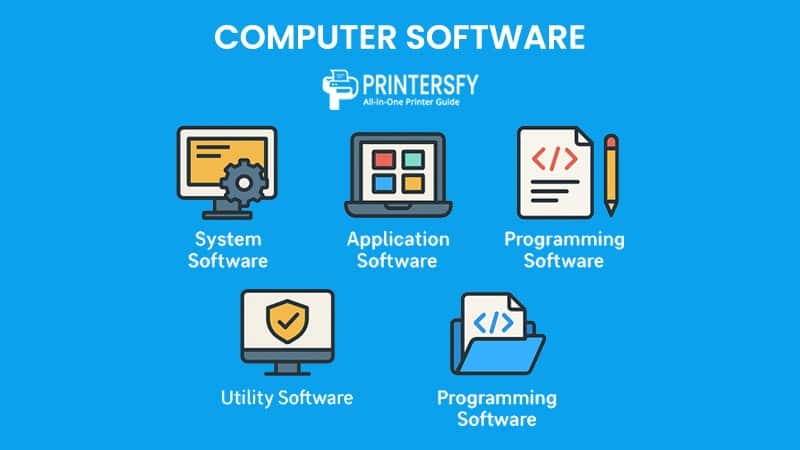
Deployment should be boring and repeatable. A continuous integration pipeline that runs your checks and ships on green removes a whole class of human error. After launch, the work shifts to maintenance: dependency updates, security patches, monitoring and the steady accretion of small fixes. The hardware and environment you develop on matter too; if you are setting up a workstation, our look at all-in-one PCs as developer workstations weighs the practical trade-offs. And if you are mapping the broader landscape of what you are building, system, application and programming software explained is a helpful primer.
A step-by-step roadmap for your first modern site
Theory only goes so far, so here is the sequence I would hand to someone building their first modern site, in the order I would actually do it. The ordering is deliberate: each step makes the next one cheaper. This is, in essence, my answer to the perennial question of how to build a modern website without drowning.
First, define the content and structure. Decide what the site says and how it is organised before you think about visuals. Sketch the pages and their content. This is also where you decide whether you even need a dynamic back end or whether a static site will do.
Second, build the HTML. Write the semantic structure for your key pages with no styling at all. If it reads sensibly as plain HTML and works with a keyboard, your foundation is sound. Fixing structure now is trivial; fixing it after styling and scripting is not.
Third, layer on CSS and a small design system. Define your tokens, style your core components, and make the layout responsive from the small screen up. Resist the urge to perfect every pixel before the whole thing exists.
Fourth, add only the JavaScript you need. Enhance the working page rather than depending on script for basic function. Test that the page still does something useful with JavaScript disabled or broken.
Fifth, wire up the back end and data if required. Define the API contract first, then build against it. Keep the data model clean, because it is the most expensive thing to change later.
Sixth, measure and harden. Run accessibility and performance checks, look at field data where you can, and fix the issues that affect real users. Then set up deployment and a maintenance rhythm so the site stays healthy. For a broader survey of the tools you might lean on along the way, our 2026 AI tools tier list, honestly ranked is a candid reference, and document-heavy projects may find our guide to converting RTF to XML relevant.
That sequence is not the only valid one, but it reflects a principle worth internalising: build from the most durable layer outward. Content outlives structure, structure outlives styling, and styling outlives behaviour. Work in that order and you will spend far less time undoing yesterday's decisions. If you want to learn more about the philosophy behind this journal and how we approach these guides, the about page explains it, and you can browse everything we have published on the full articles index or start from the home page.
Frequently asked questions
What skills do I need to become a modern web developer?
Start with semantic HTML, CSS layout and core JavaScript, then add version control with Git, an understanding of HTTP and APIs, and basic accessibility. From there, pick one framework and one back-end language. Soft skills matter too: reading documentation, debugging methodically and writing code other people can maintain.
Do I need a JavaScript framework to build a modern website?
No. Many fast, modern sites ship with plain HTML, CSS and a little JavaScript. Frameworks like React or Vue earn their keep when you manage complex, stateful interfaces. For content sites, blogs and marketing pages, a framework often adds weight and slows you down. Choose based on the interface complexity, not fashion.
What are Core Web Vitals and why do they matter for SEO?
Core Web Vitals are Google's field metrics for loading, interactivity and visual stability: Largest Contentful Paint, Interaction to Next Paint and Cumulative Layout Shift. They feed into ranking signals and, more importantly, reflect real user experience. Good vitals correlate with lower bounce rates, so improving them helps both search visibility and conversion.
How long does it take to learn web development?
Most people can build a simple, functional website within a few months of consistent practice. Becoming job-ready as a front-end or full-stack developer typically takes roughly six months to a year of focused study and projects. Mastery is open-ended; the platform keeps evolving, so continuous learning is part of the job.
Sources & further reading
- MDN Web Docs — Learn Web Development — Mozilla's structured learning area covering HTML, CSS, JavaScript and accessibility, written and maintained alongside browser engineers.
- WHATWG HTML Living Standard — the canonical, continuously updated specification that defines how HTML behaves in modern browsers.
- web.dev — Core Web Vitals — Google's reference on the field metrics for loading, interactivity and visual stability, including how they are measured.
- W3C standards — the World Wide Web Consortium, home of the Web Content Accessibility Guidelines and many of the open standards the web is built on.